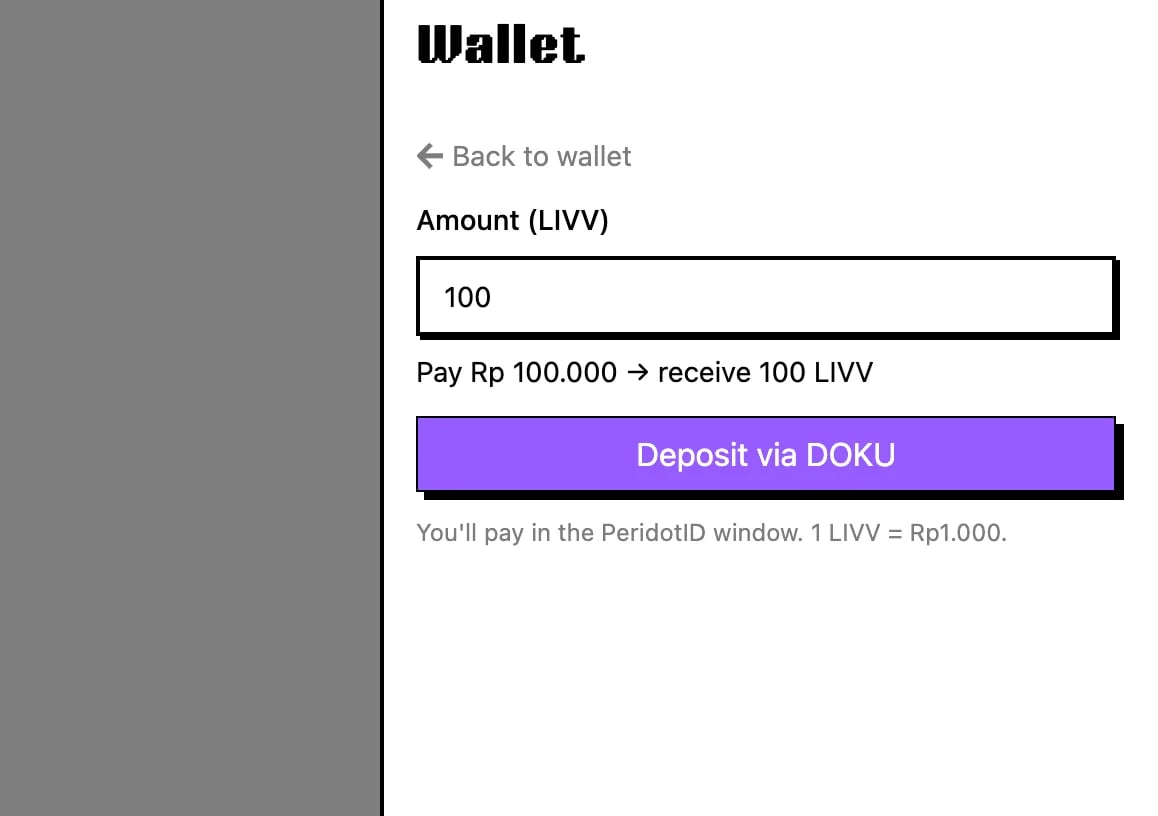
Top up from your wallet whenever your balance runs low. 1 LIVV equals Rp1.000, with a minimum of 100 LIVV per deposit.
1

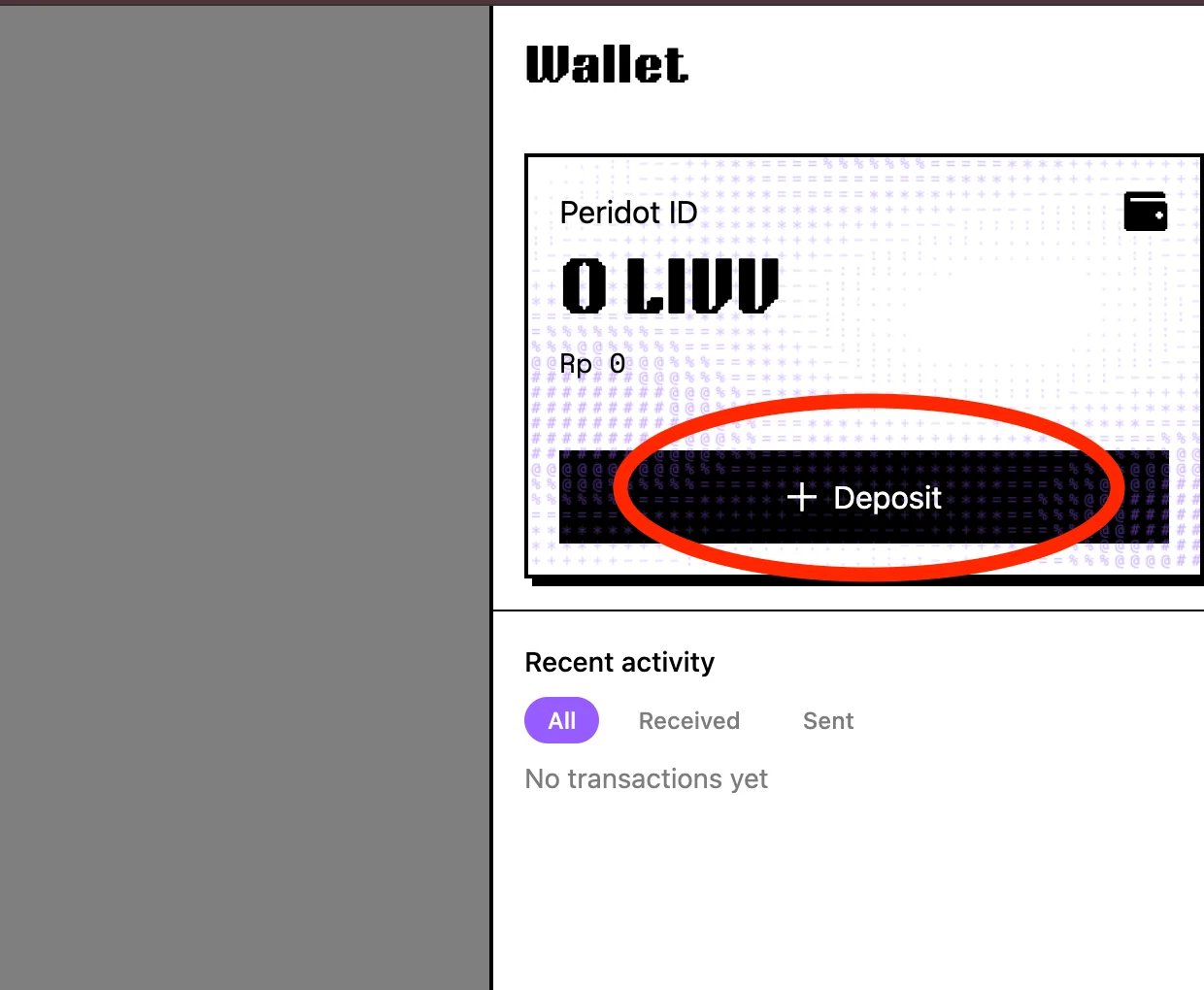
Open your wallet

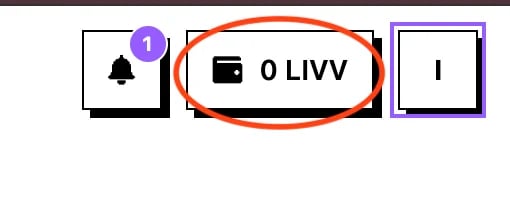
Open the wallet from the navbarOpen Pro Dashboard and click the wallet button in the navbar. It shows your current balance in LIVV.
2

Start a deposit

Start a deposit from the walletIn the Wallet drawer, click Deposit.
3

Enter the LIVV amount

Enter the deposit amount in LIVVType how much LIVV you want. The drawer shows the quote before you continue.
4

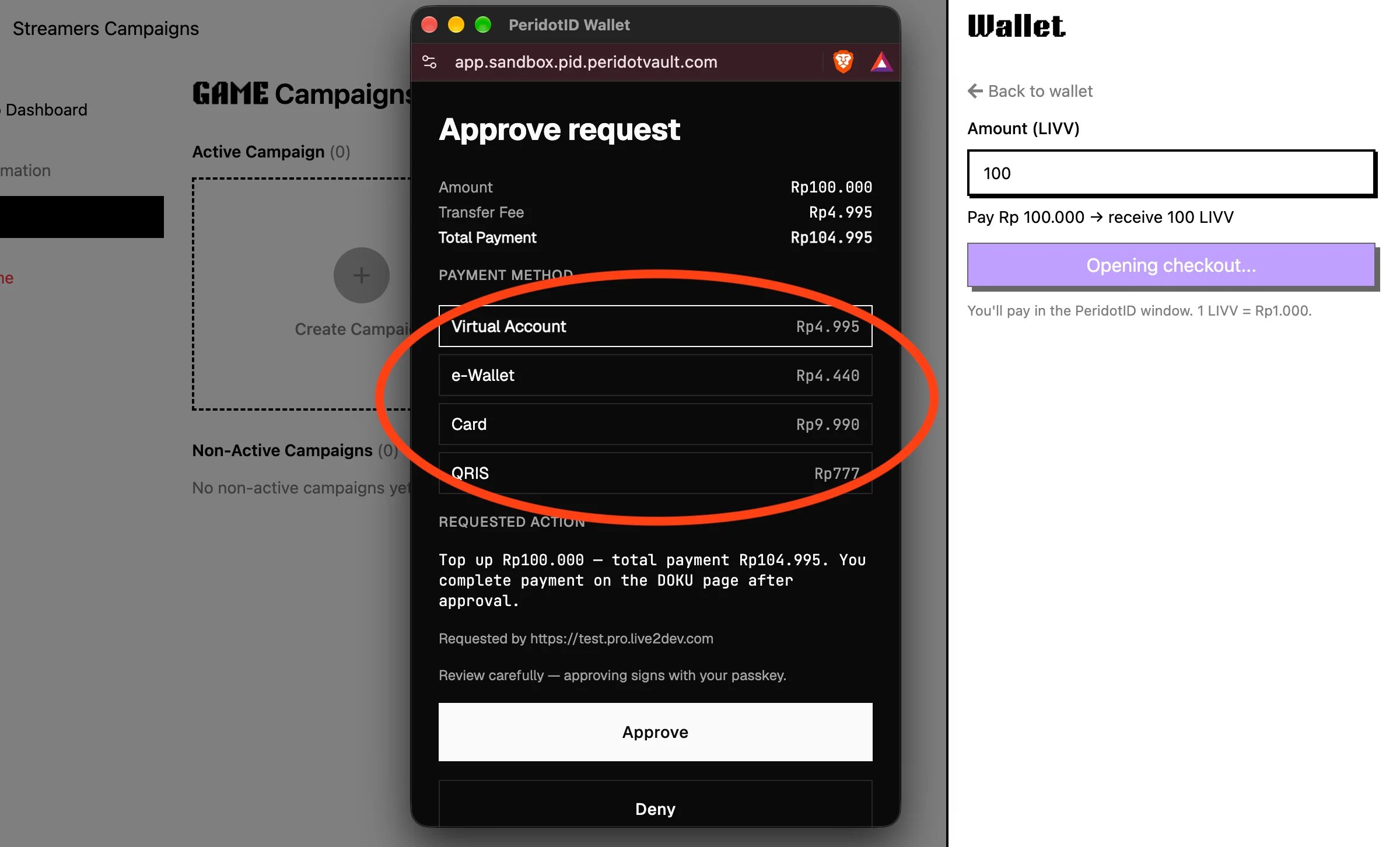
Pick a payment method

Choose a payment method in the popupA PeridotID popup opens. Compare the fees and pick the cheapest payment method.
5

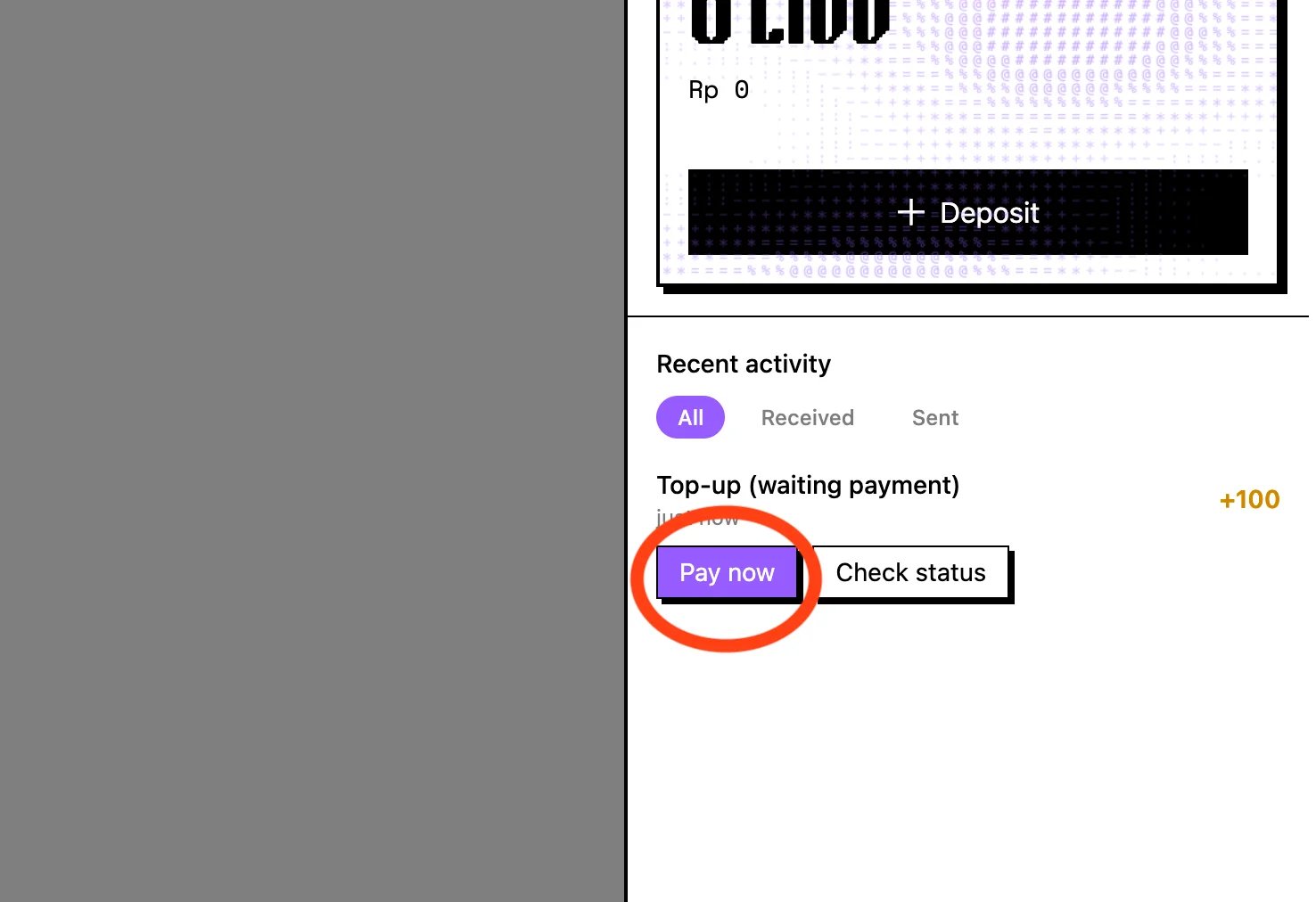
Confirm in your wallet

Confirm with Pay now in the walletBack in your live2dev wallet, click Pay now to continue.
6

Pay on the checkout page

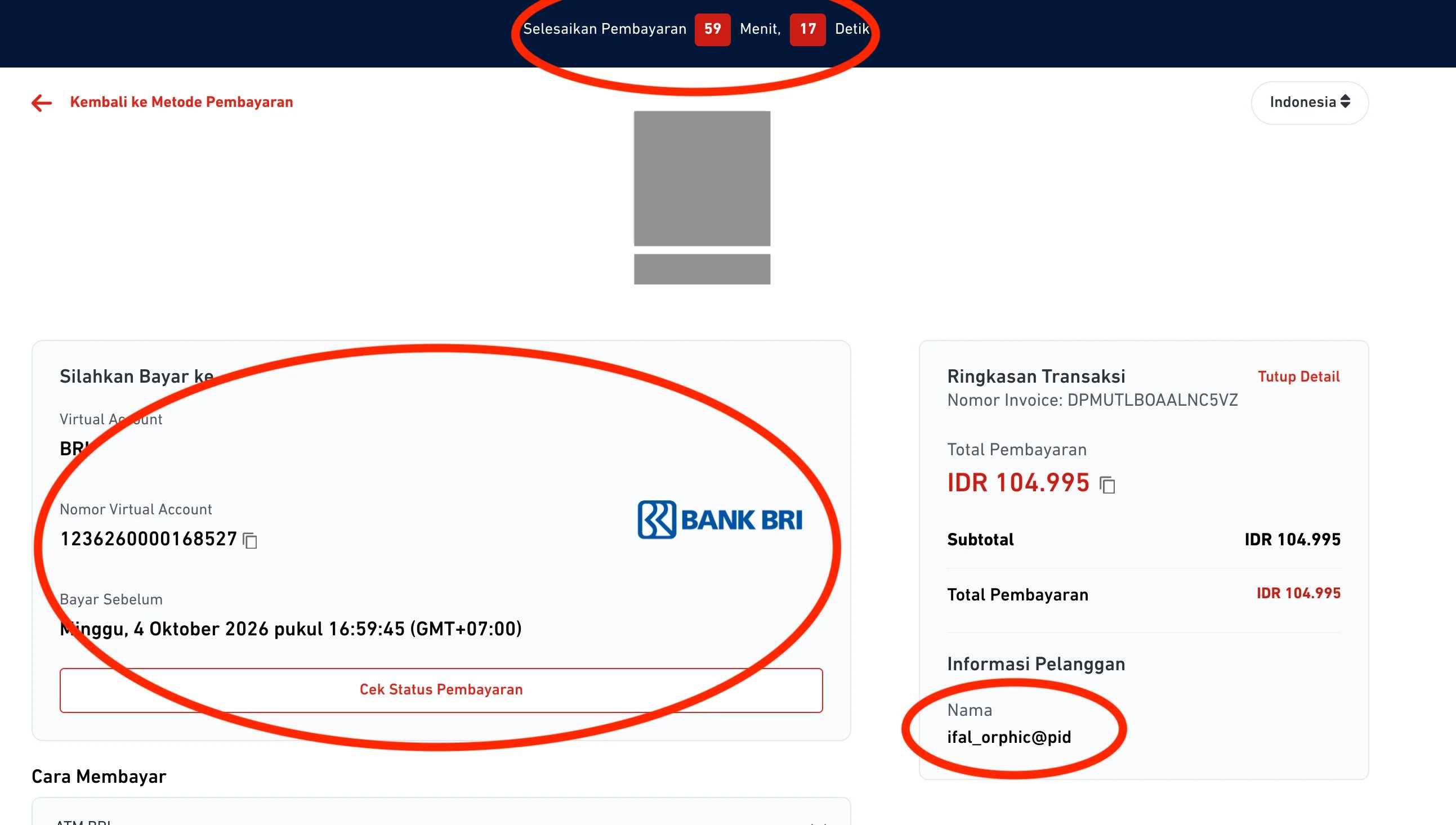
Complete the payment on the checkout pageYou are taken to the checkout page. Complete the payment there.
7

Check the payment status

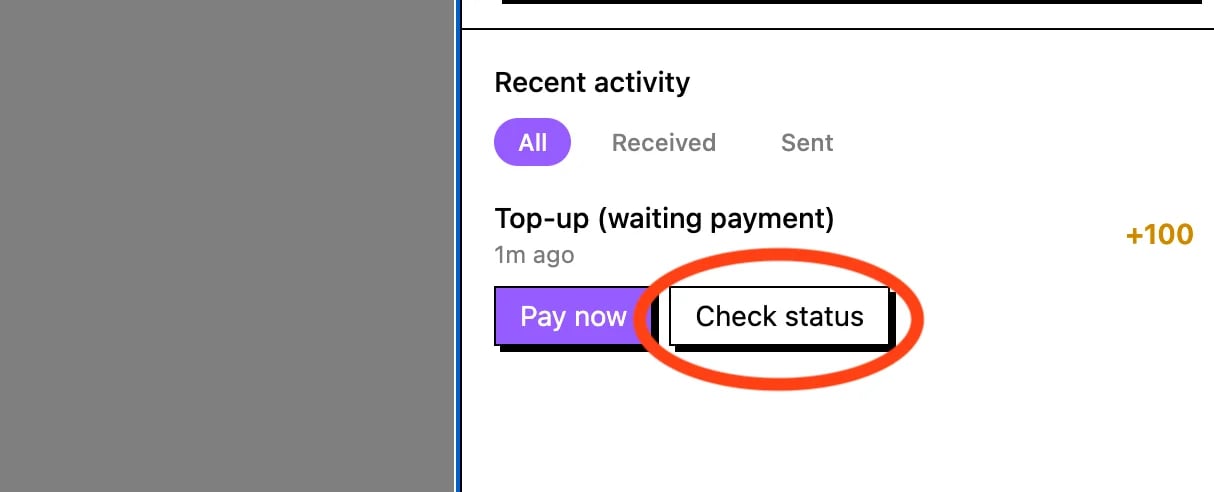
Check the payment status in the walletAfter paying, click Check payment status in your wallet to credit the deposit.
8

Balance added automatically

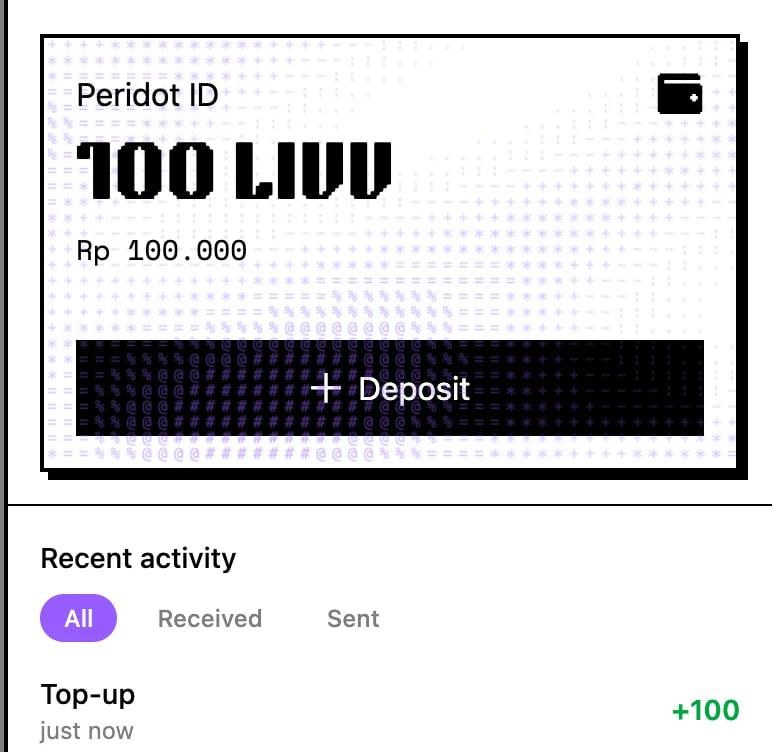
Balance increased after top-upYour balance grows by itself. Done — the LIVV is ready to fund escrow.
New to LIVV? Read What is LIVV first.