Handle developer applications to your campaign from pro.live2dev.com. Payouts land in LIVV — 1 LIVV equals Rp1.000. Fees are dynamic and shown in the quote before you confirm — never a fixed rate. See What is LIVV.
1

Check incoming applications
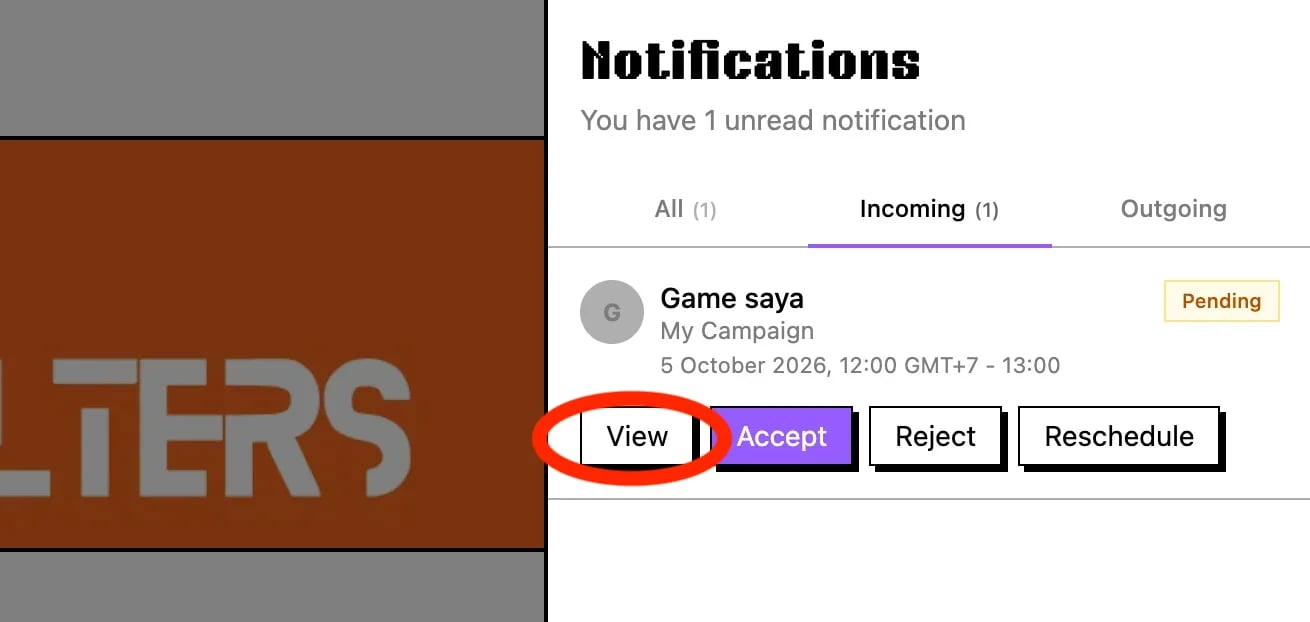
Incoming notification with developer applicationClick the notification bell in the navbar, open the Incoming tab, then click Accept or View for details.
2

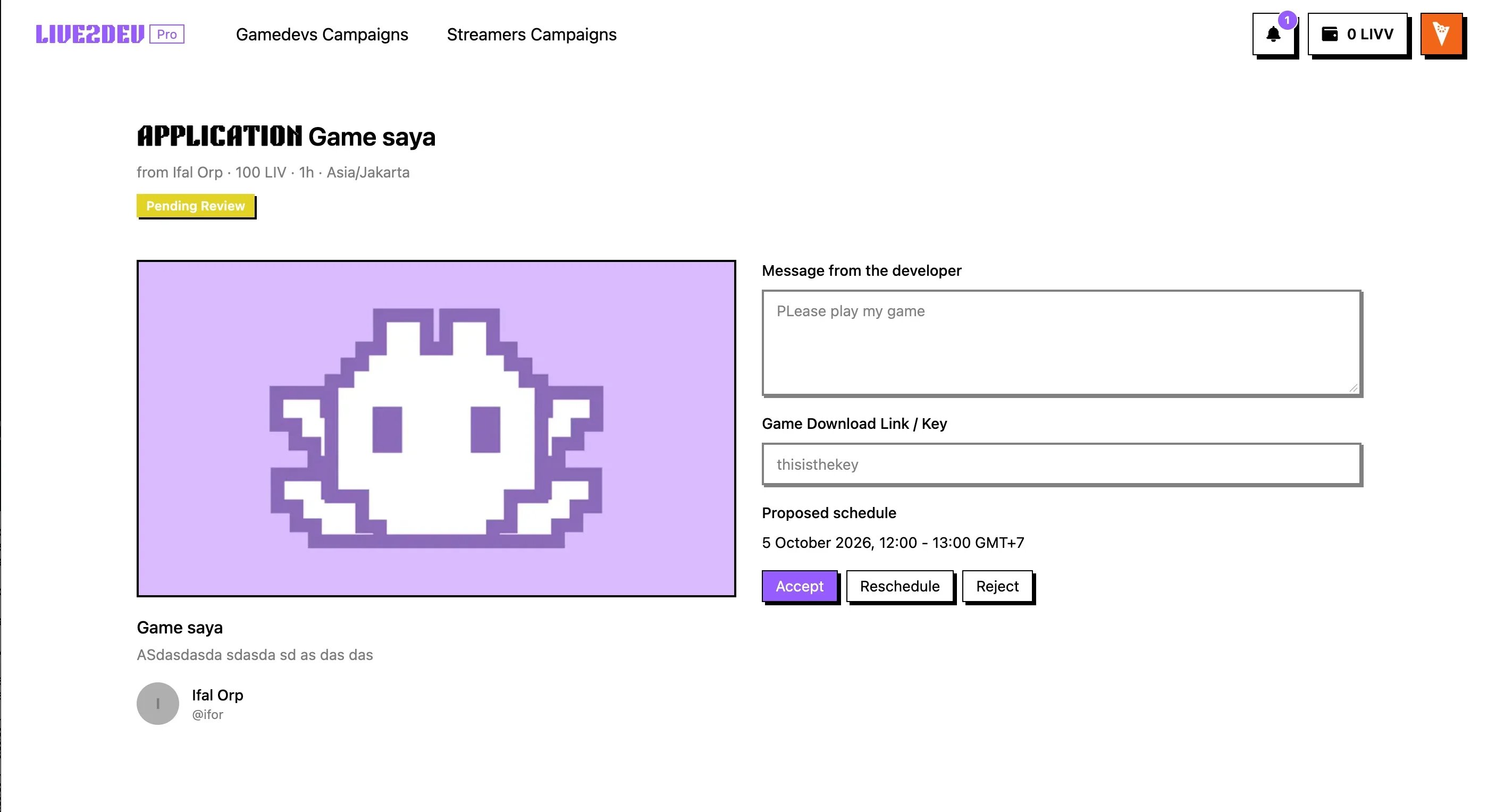
Accept or reject the application

Application detailsReview the Application details, then click Accept or Reject.
3

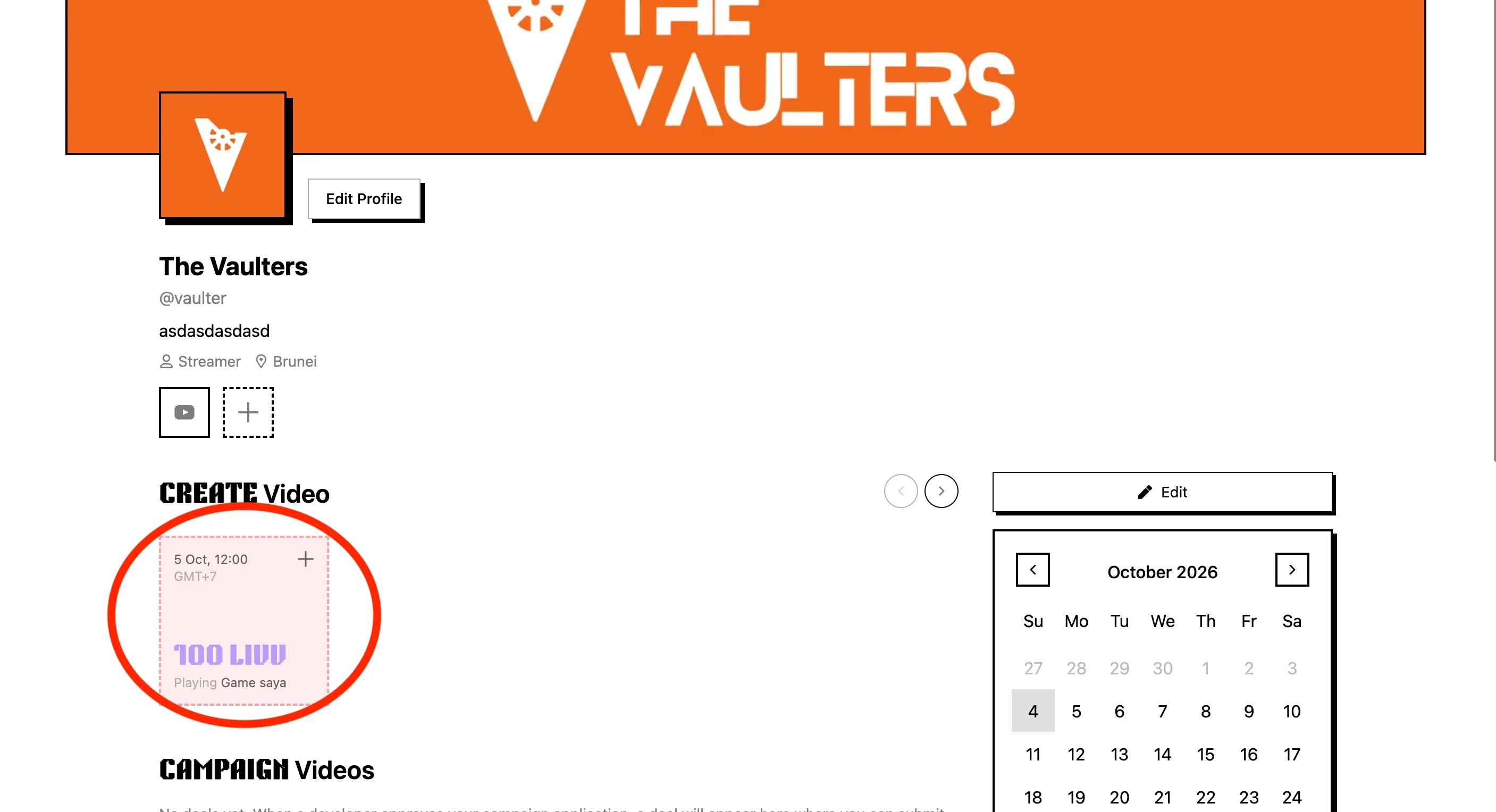
Create the video

Create the video from the dashboardGo back to the Dashboard and create the video for the accepted application.
4

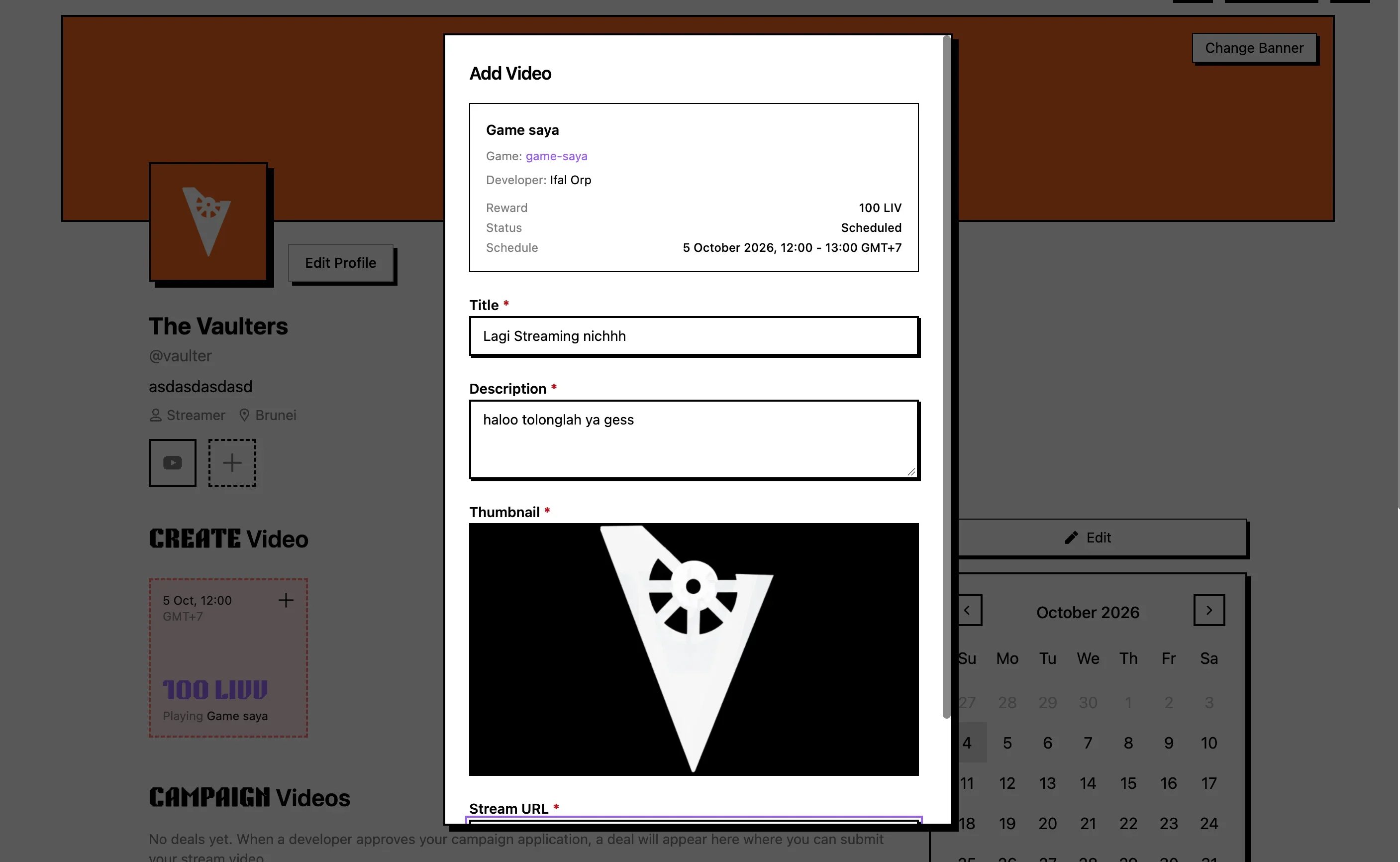
Fill in the video form

Fill in the video and streaming formsFill in all video and streaming forms, then submit the upload.
5

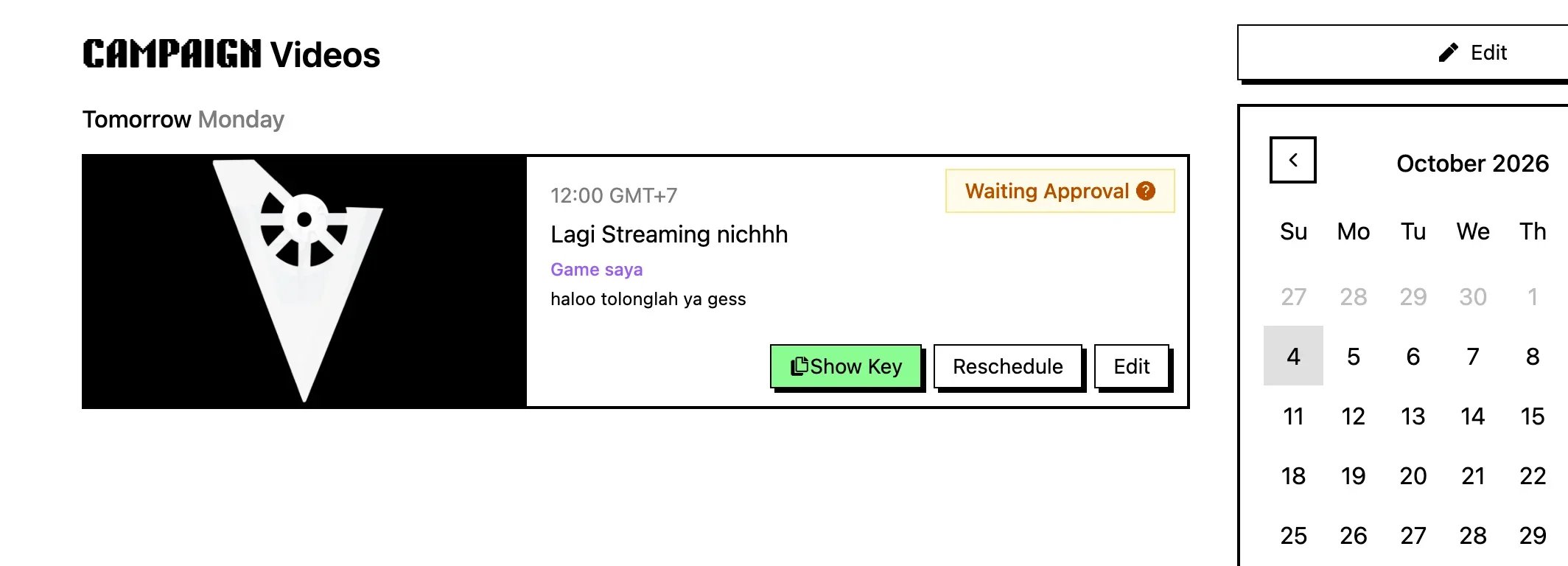
Check the video in Campaign Videos

Campaign Videos with game key and video statusThe upload shows in Campaign Videos with the game key and video status.
6

Wait for developer approval

Wait for the developer to approve the submission. The Claim LIVV button appears once approved.
7

Claim your LIVV
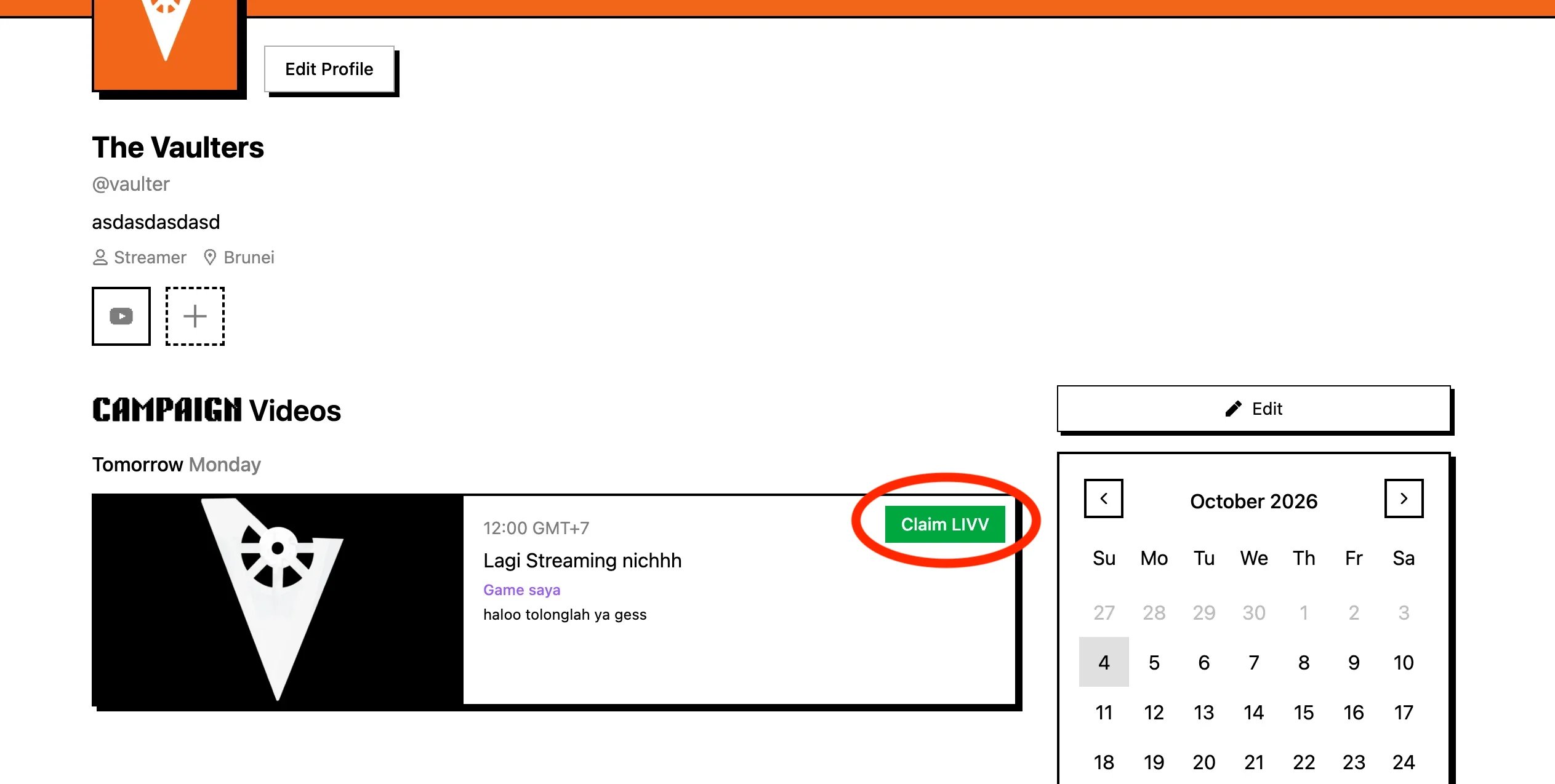
Claim LIVV buttonClick Claim LIVV to open the claim dialog.
8

Confirm in the modal

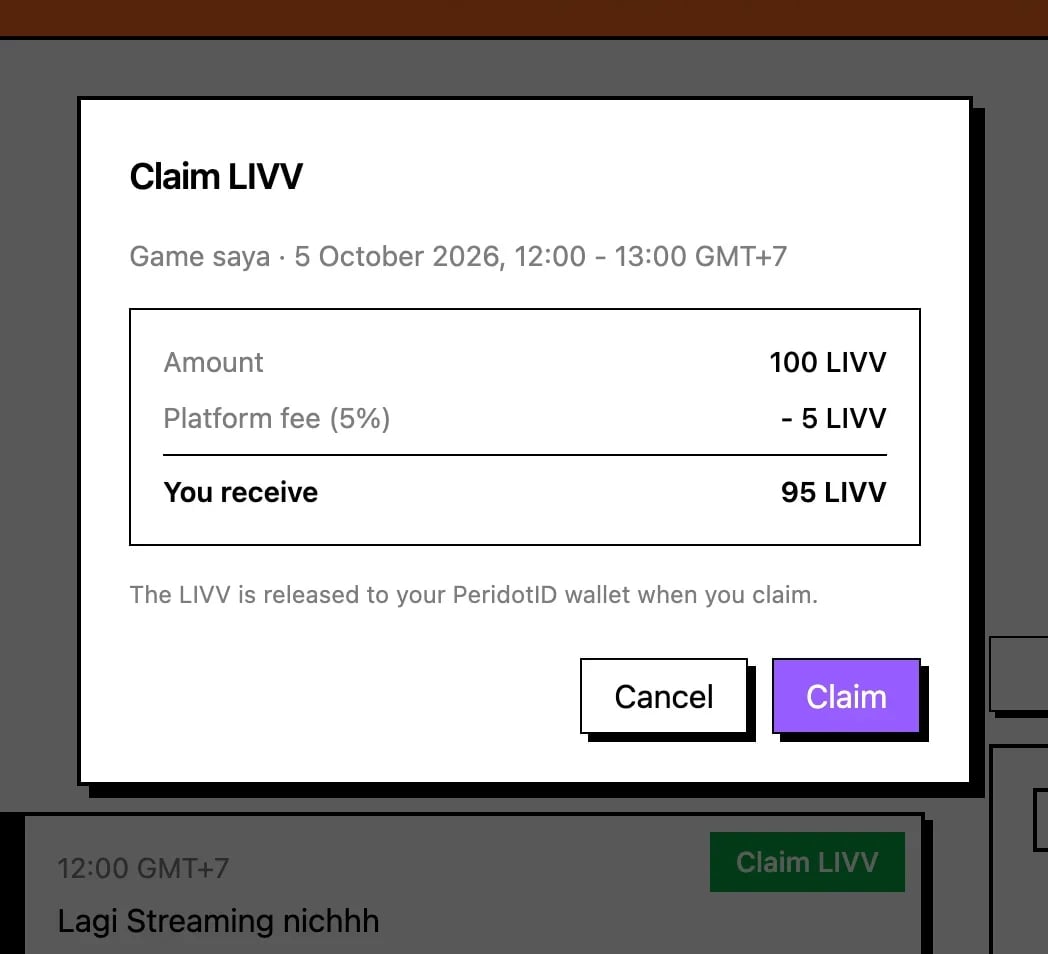
Claim dialog with payout breakdownCheck Amount, Platform fee, PeridotID fee, and You receive, then click Claim.