> ## Documentation Index
> Fetch the complete documentation index at: https://docs.live2dev.com/llms.txt
> Use this file to discover all available pages before exploring further.

# Developer applications

> Handle incoming developer applications — accept, video, and claim

Handle developer applications to your campaign from <a href="https://pro.live2dev.com" target="_blank" rel="noopener noreferrer">pro.live2dev.com</a>.

Payouts land in LIVV — 1 LIVV equals Rp1.000. Fees are dynamic and shown in the quote before you confirm — never a fixed rate. See [What is LIVV](/what-is-livv).
<Steps>
  <Step title="Check incoming applications">
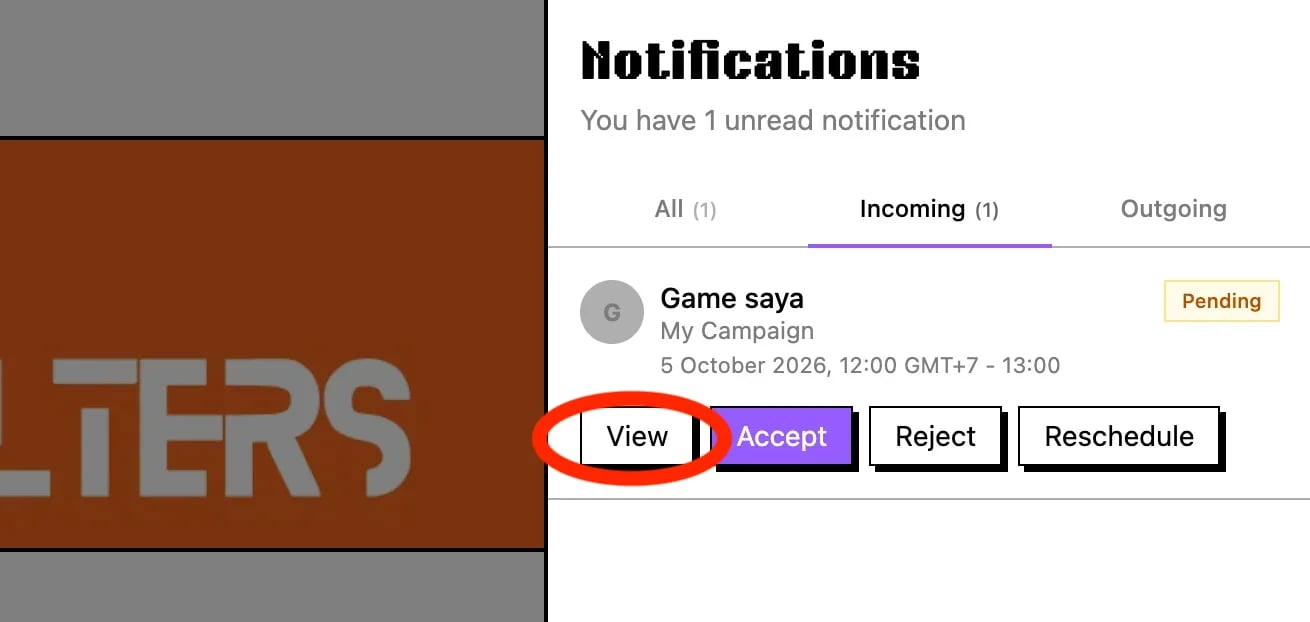
    <img src="https://mintcdn.com/live2-dev/Qj8YdVRjhXk0BjVF/images/streamers/developer-applications/notification-incoming.webp?fit=max&auto=format&n=Qj8YdVRjhXk0BjVF&q=85&s=79d78241b58b172f1beb330d21bc82a0" alt="Incoming notification with developer application" width="1310" height="622" data-path="images/streamers/developer-applications/notification-incoming.webp" />

    Click the notification bell in the navbar, open the **Incoming** tab, then click **Accept** or **View** for details.
  </Step>

  <Step title="Accept or reject the application">
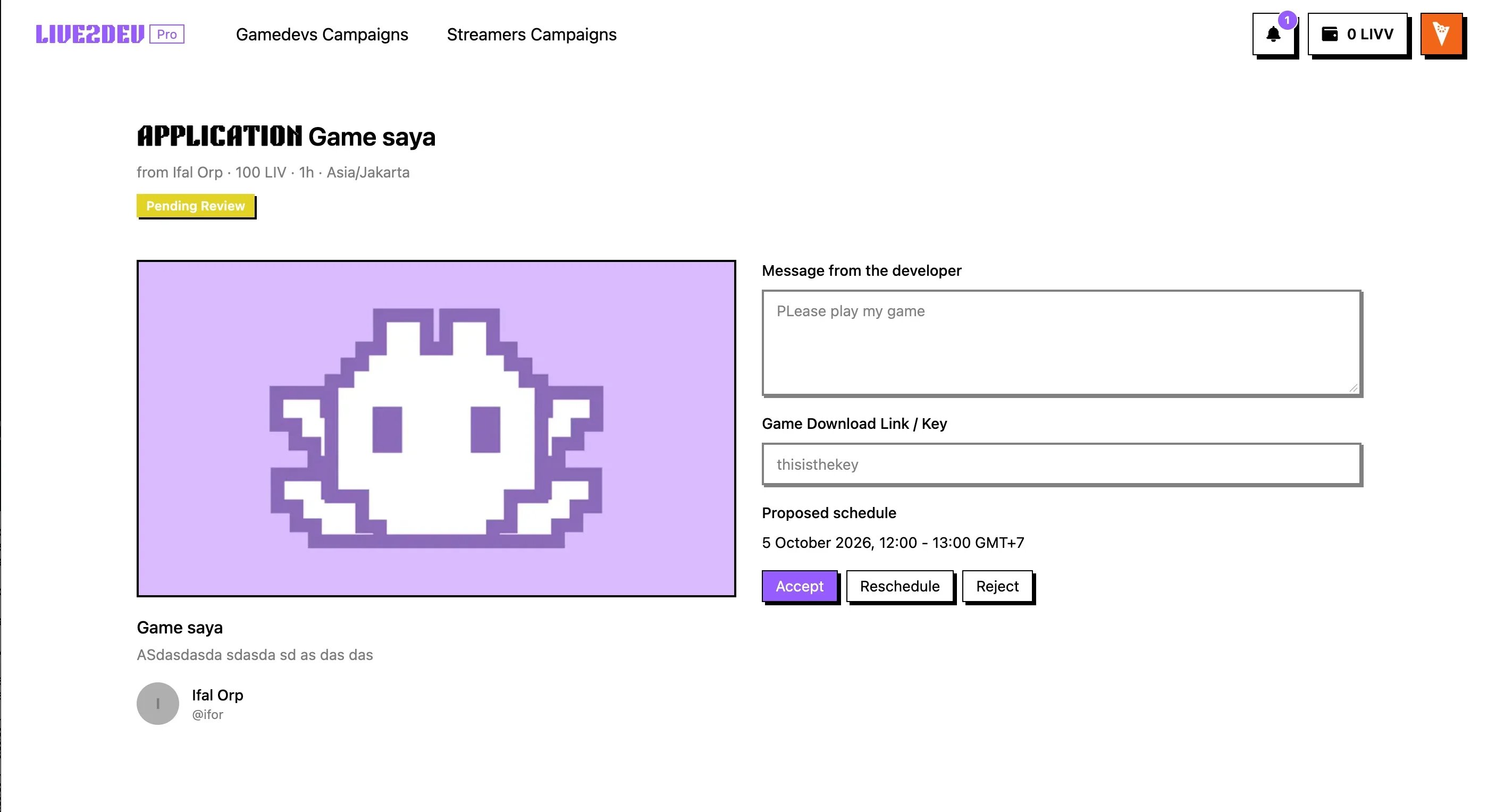
    <img src="https://mintcdn.com/live2-dev/Qj8YdVRjhXk0BjVF/images/streamers/developer-applications/application-details.webp?fit=max&auto=format&n=Qj8YdVRjhXk0BjVF&q=85&s=f7dc998e2dbd9f3b6bc1233dc9150bc2" alt="Application details" width="2814" height="1528" data-path="images/streamers/developer-applications/application-details.webp" />

    Review the **Application details**, then click **Accept** or **Reject**.
  </Step>

  <Step title="Create the video">
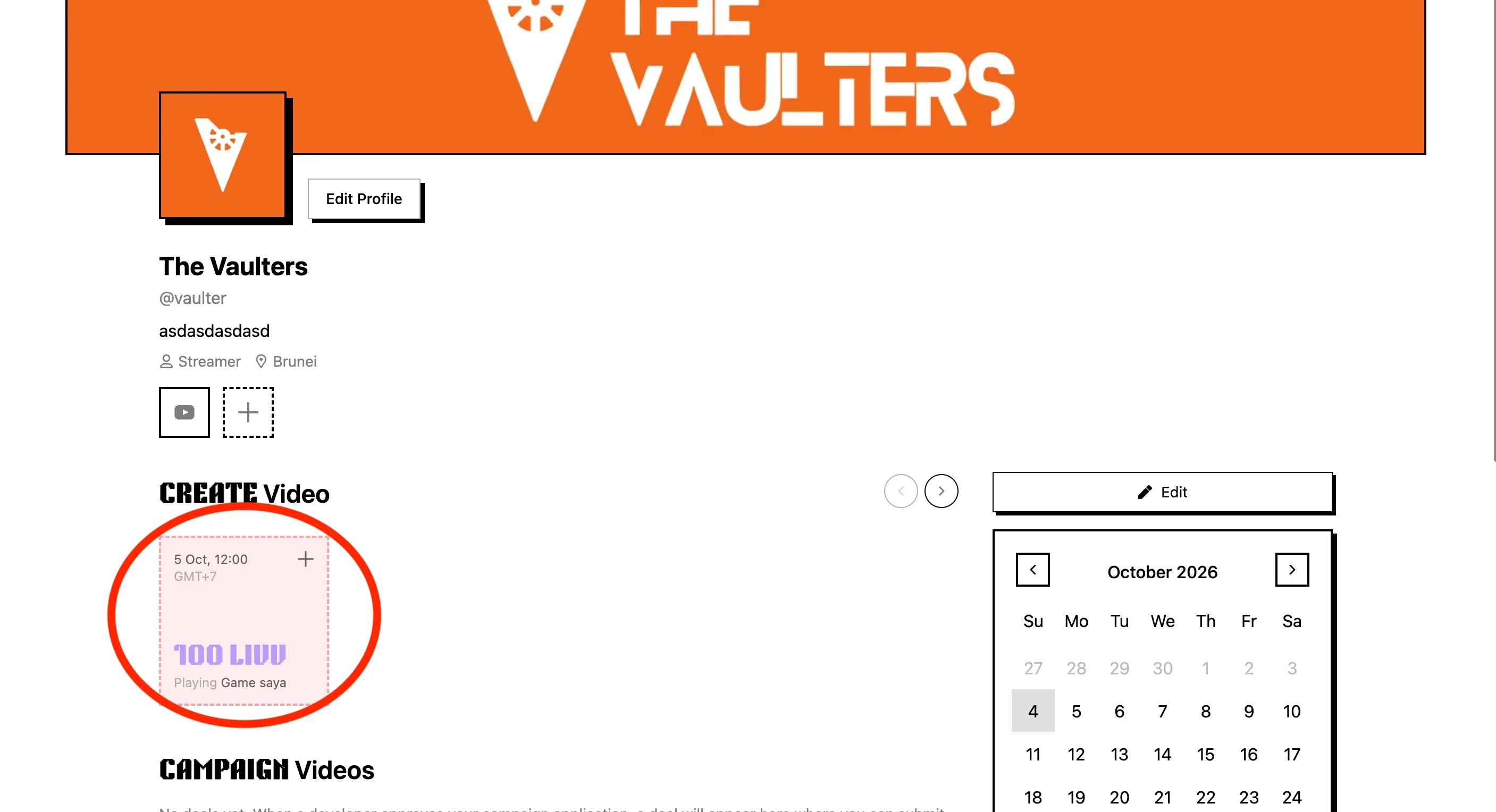
    <img src="https://mintcdn.com/live2-dev/Qj8YdVRjhXk0BjVF/images/streamers/developer-applications/create-video.webp?fit=max&auto=format&n=Qj8YdVRjhXk0BjVF&q=85&s=7c095b9b8c55d414765ec57b1de27beb" alt="Create the video from the dashboard" width="2814" height="1528" data-path="images/streamers/developer-applications/create-video.webp" />

    Go back to the **Dashboard** and create the video for the accepted application.
  </Step>

  <Step title="Fill in the video form">
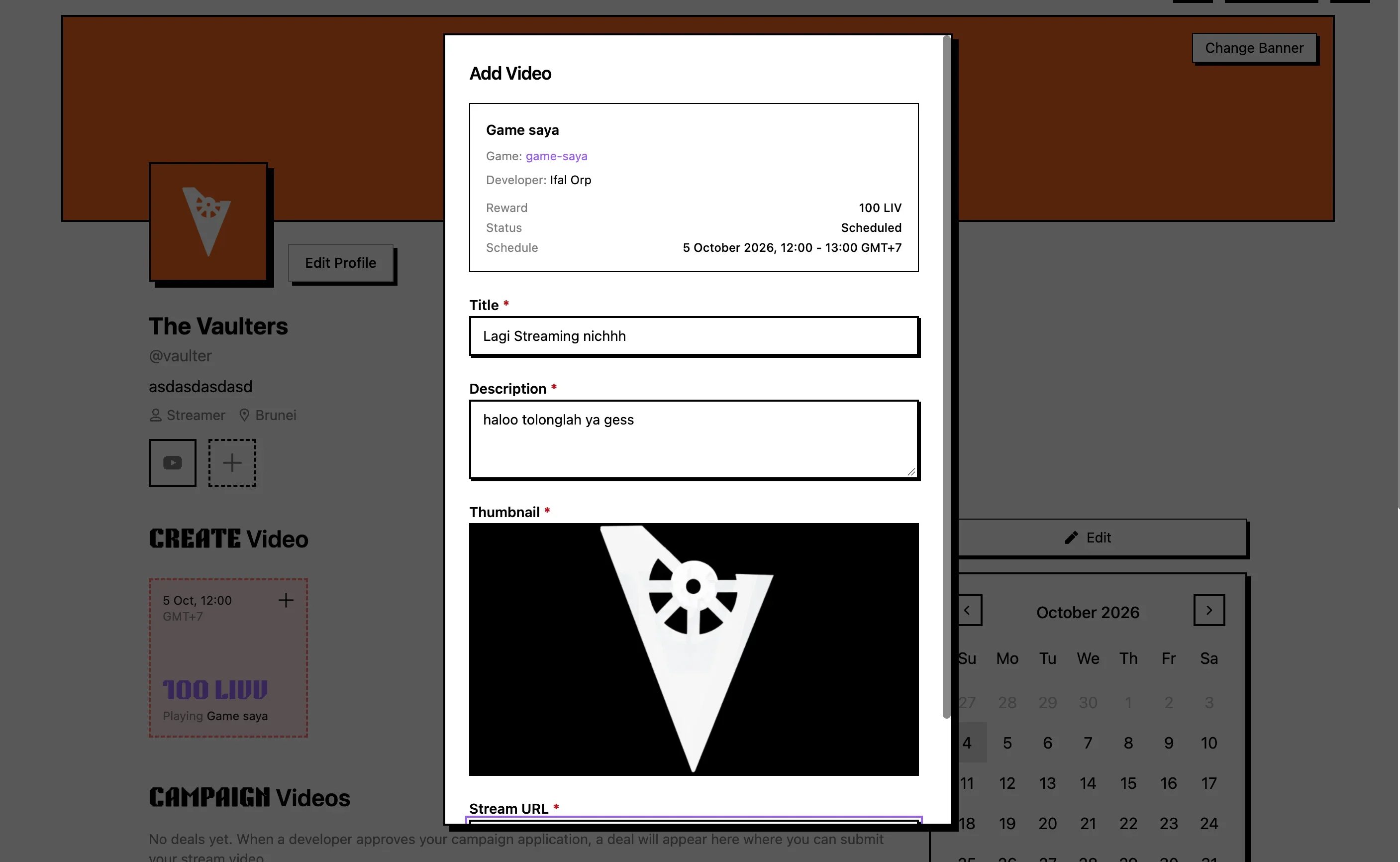
    <img src="https://mintcdn.com/live2-dev/Qj8YdVRjhXk0BjVF/images/streamers/developer-applications/fill-video-form.webp?fit=max&auto=format&n=Qj8YdVRjhXk0BjVF&q=85&s=9aca648cd5cc1d032f739a9f19cc01e6" alt="Fill in the video and streaming forms" width="2814" height="1732" data-path="images/streamers/developer-applications/fill-video-form.webp" />

    Fill in all video and streaming forms, then submit the upload.
  </Step>

  <Step title="Check the video in Campaign Videos">
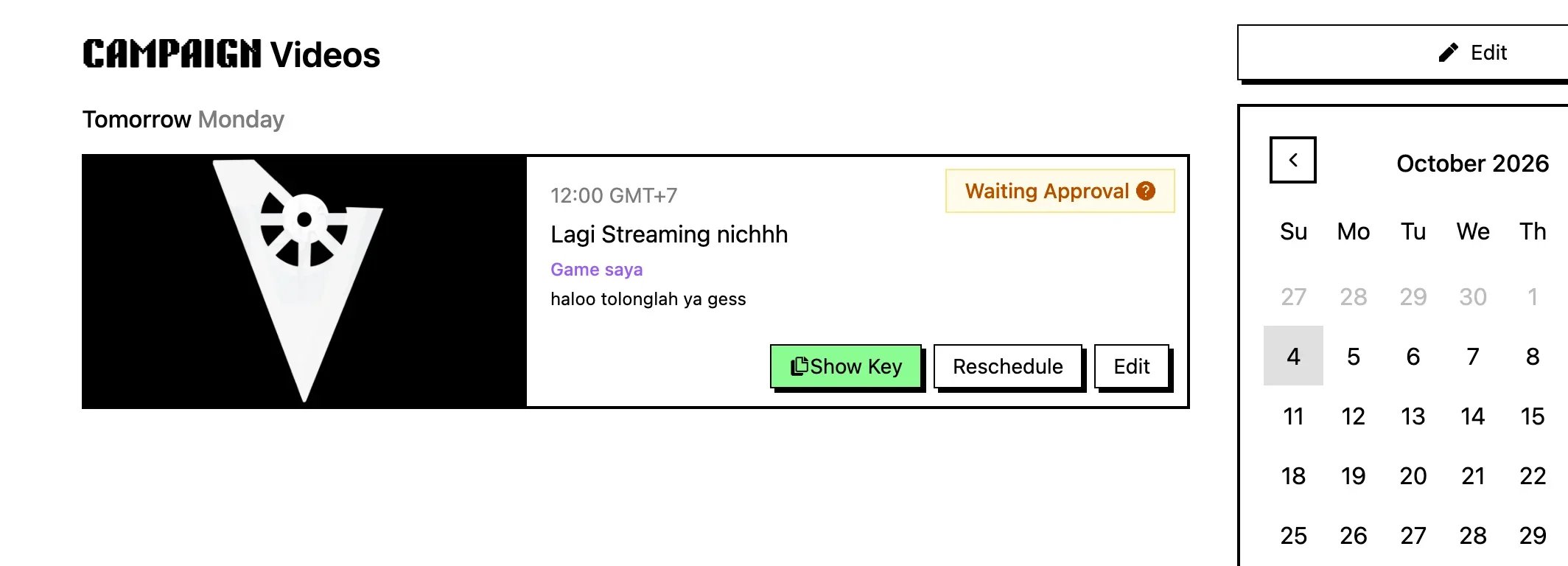
    <img src="https://mintcdn.com/live2-dev/Qj8YdVRjhXk0BjVF/images/streamers/developer-applications/campaign-videos.webp?fit=max&auto=format&n=Qj8YdVRjhXk0BjVF&q=85&s=09203ad7381fcc6b1d351d40520eafb3" alt="Campaign Videos with game key and video status" width="2128" height="768" data-path="images/streamers/developer-applications/campaign-videos.webp" />

    The upload shows in **Campaign Videos** with the game key and video status.
  </Step>

  <Step title="Wait for developer approval">
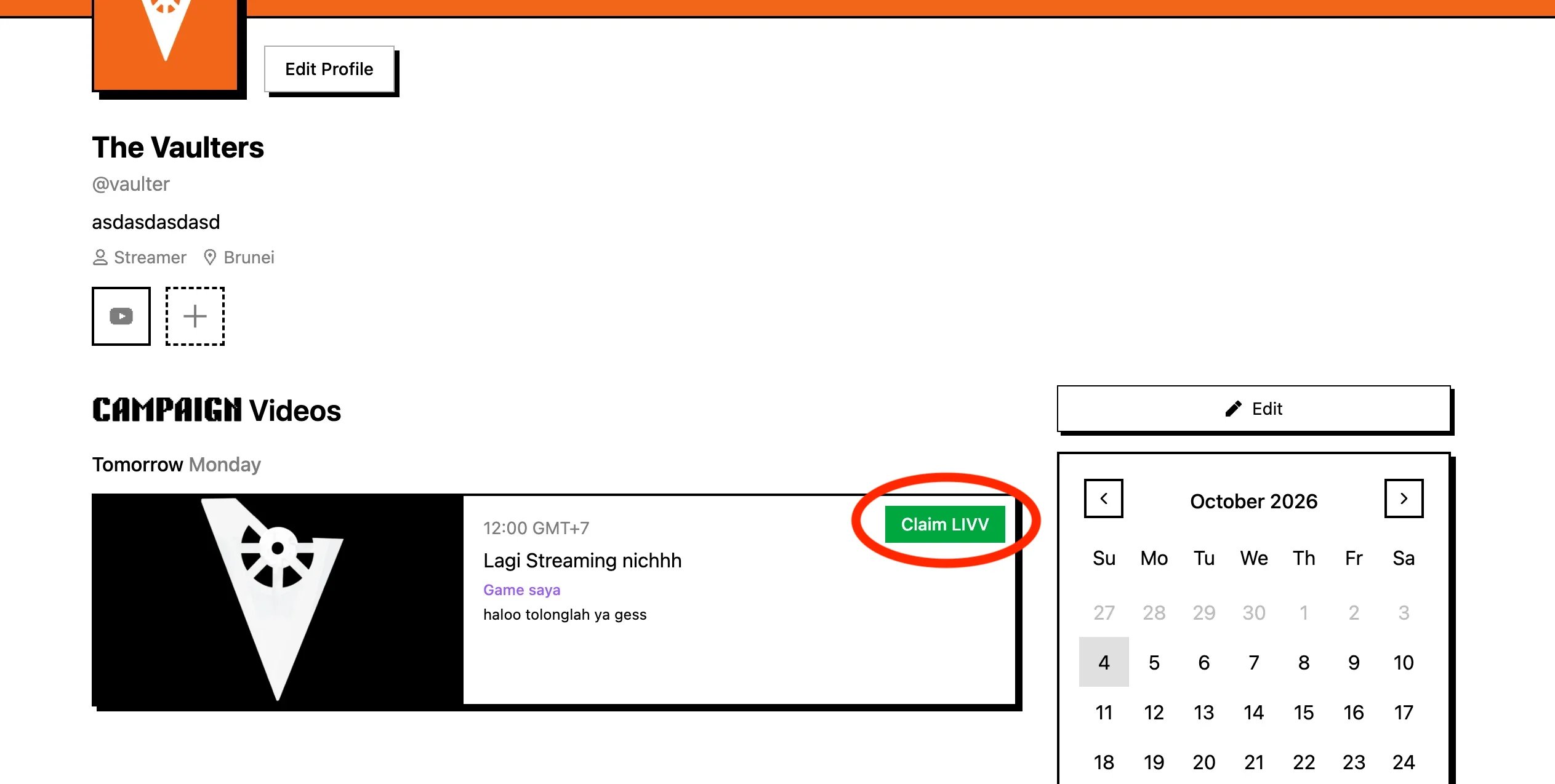
    Wait for the developer to approve the submission. The **Claim LIVV** button appears once approved.
  </Step>

  <Step title="Claim your LIVV">
    <img src="https://mintcdn.com/live2-dev/Qj8YdVRjhXk0BjVF/images/streamers/developer-applications/claim-button.webp?fit=max&auto=format&n=Qj8YdVRjhXk0BjVF&q=85&s=e2d33a7ee26adc38b3bfced79e384357" alt="Claim LIVV button" width="2526" height="1274" data-path="images/streamers/developer-applications/claim-button.webp" />

    Click **Claim LIVV** to open the claim dialog.
  </Step>

  <Step title="Confirm in the modal">
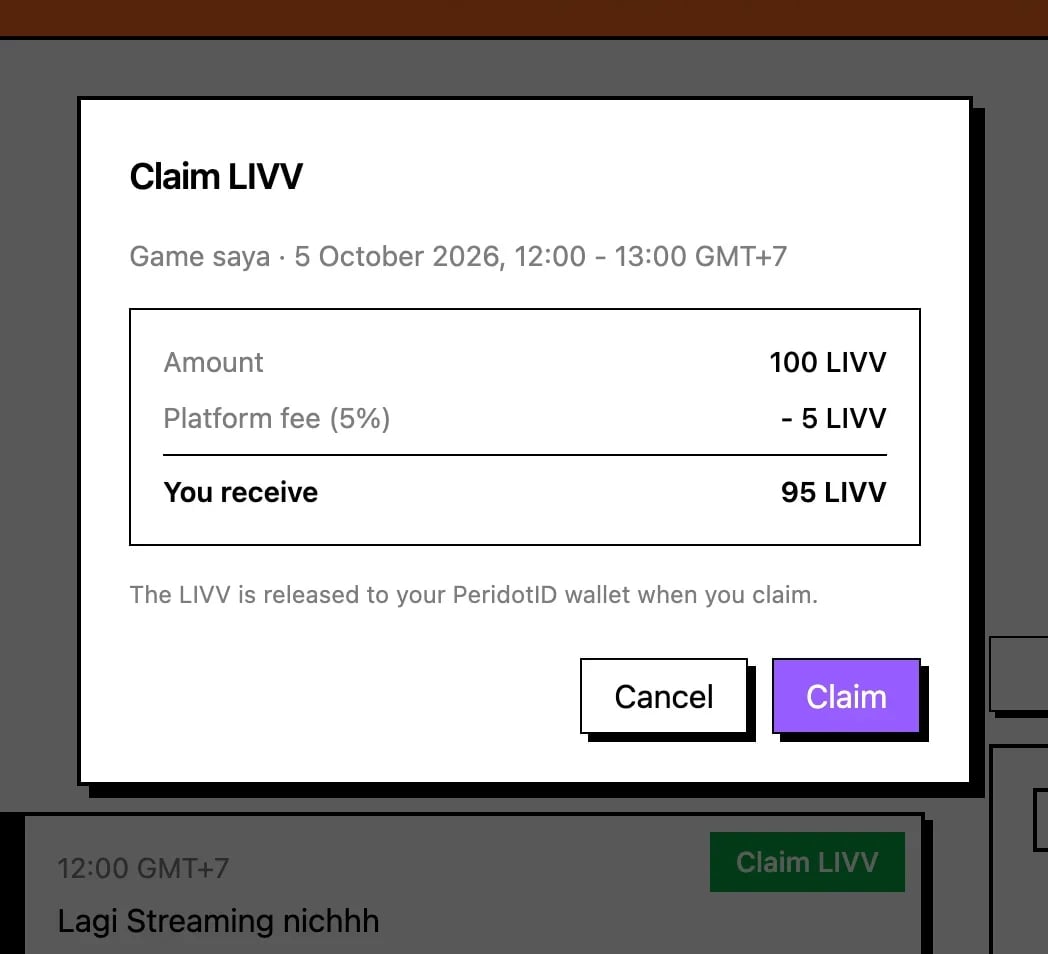
    <img src="https://mintcdn.com/live2-dev/Qj8YdVRjhXk0BjVF/images/streamers/developer-applications/claim-modal.webp?fit=max&auto=format&n=Qj8YdVRjhXk0BjVF&q=85&s=9e5e15044d2e1ed8a147a067119d7bf4" alt="Claim dialog with payout breakdown" width="1048" height="954" data-path="images/streamers/developer-applications/claim-modal.webp" />

    Check **Amount**, **Platform fee**, **PeridotID fee**, and **You receive**, then click **Claim**.
  </Step>
</Steps>


This documentation is built and hosted on [Mintlify](https://mintlify.com), a developer documentation platform.