> ## Documentation Index
> Fetch the complete documentation index at: https://docs.live2dev.com/llms.txt
> Use this file to discover all available pages before exploring further.
# Lamaran streamer
> Kelola lamaran streamer yang masuk — terima, pantau, review, dan selesaikan
Kelola lamaran streamer yang masuk ke game campaign-mu dari pro.live2dev.com.
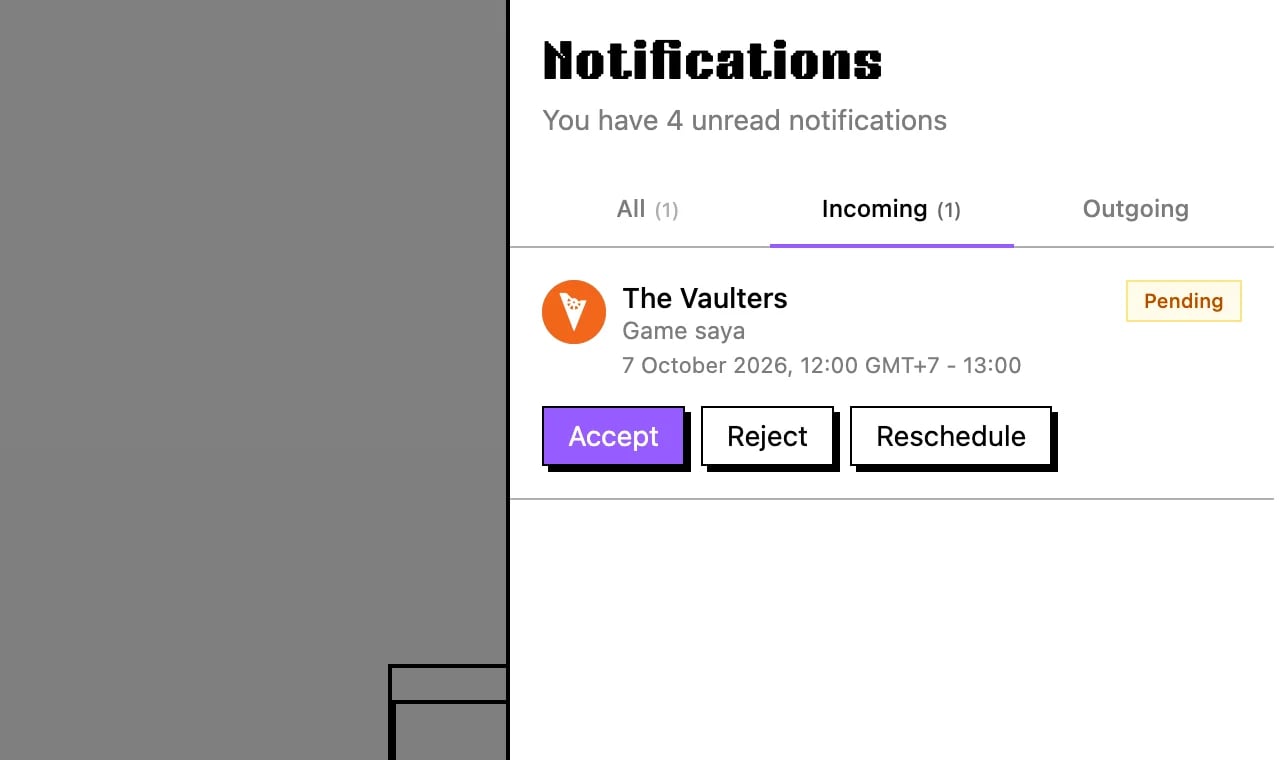 Streamer menghubungimu setelah kamu membuat campaign — jika kamu belum punya campaign, lihat [Buat campaign](/id/developers/create-campaign). Klik bel notifikasi di navbar dan buka tab **Incoming**, di mana setiap lamaran menyediakan opsi **Accept**, **Reject**, atau **Reschedule**. Jika streamer tersebut cocok untuk gamemu, tekan **Accept** untuk melanjutkan deal.
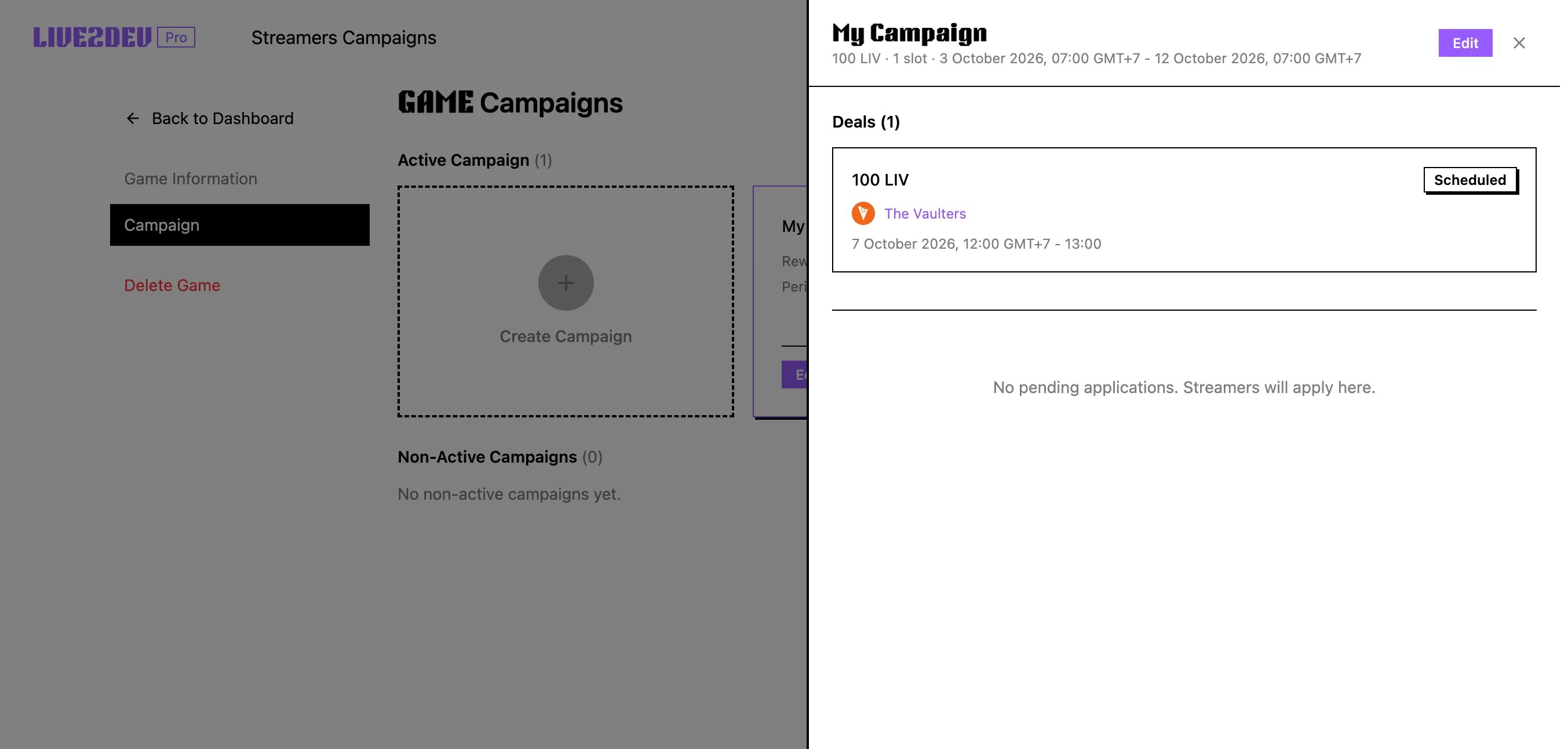 Setelah menerima, buka game campaign-mu di pro.live2dev.com/dashboard/edit-game/\[gamekamu]/campaigns lalu klik campaign untuk membuka detailnya. Di sana kamu melihat streamer yang sudah deal denganmu dan bisa memantau progresnya. Pantau halaman ini selagi para streamer menyiapkan dan mengunggah video mereka.
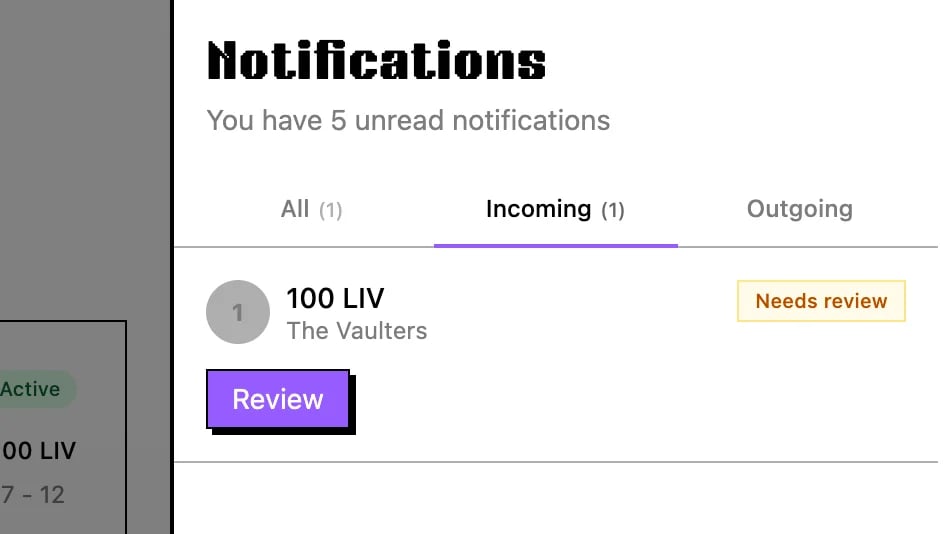 Saat streamer selesai, submission-nya masuk kembali ke notifikasimu untuk direview. Klik bel notifikasi, buka tab **Incoming**, lalu tekan **Review** pada submission yang sudah selesai. Ini membuka hasil streaming agar kamu bisa memeriksa apa yang sebenarnya dikirim streamer.
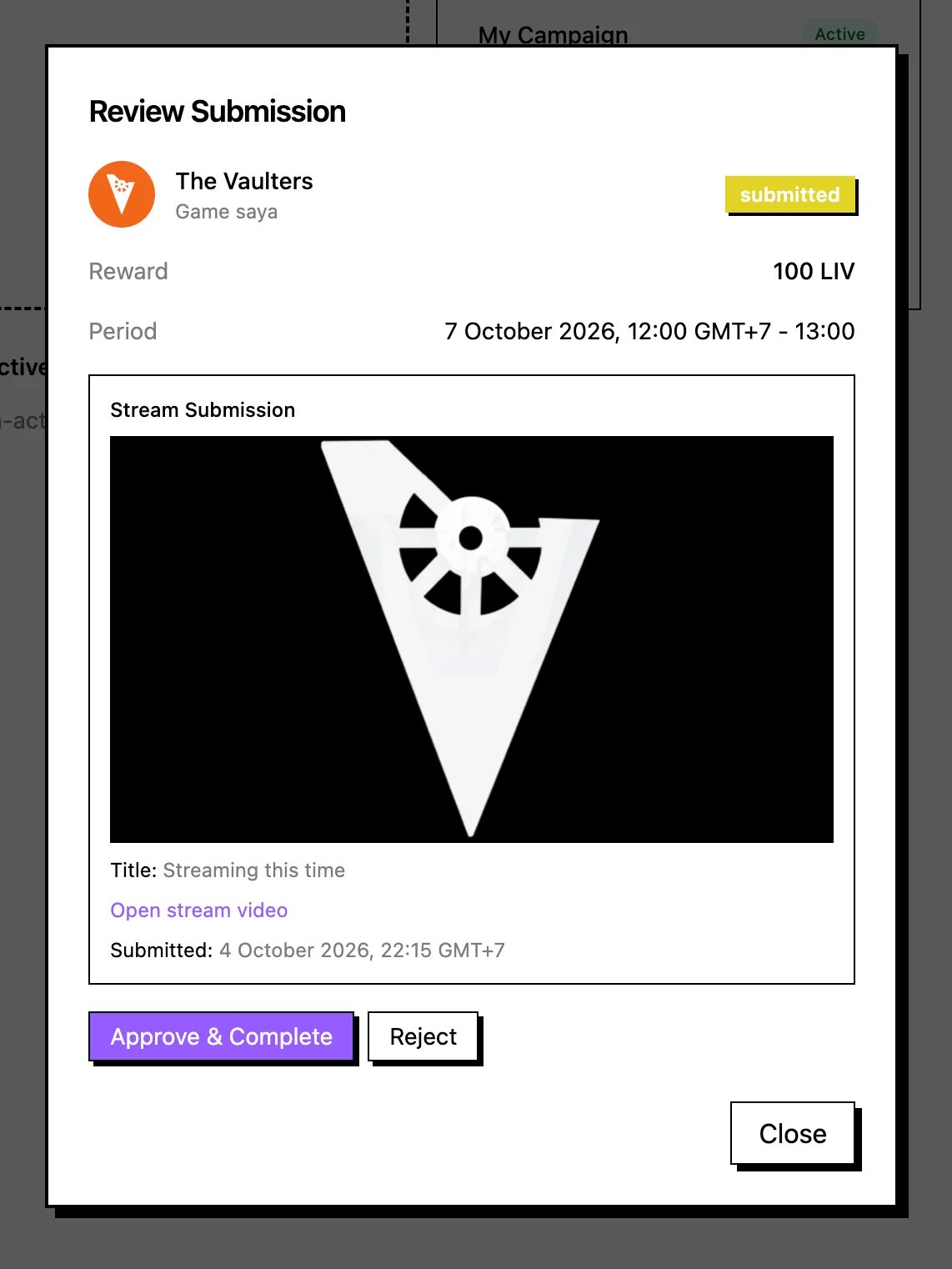 Sebuah modal muncul berisi detail submission untuk kamu review. Periksa hasil stream dengan cermat sesuai dengan yang diminta campaign-mu. Jika semuanya bagus, klik **Approve and complete** untuk menyelesaikan deal dan melepas pembayaran.
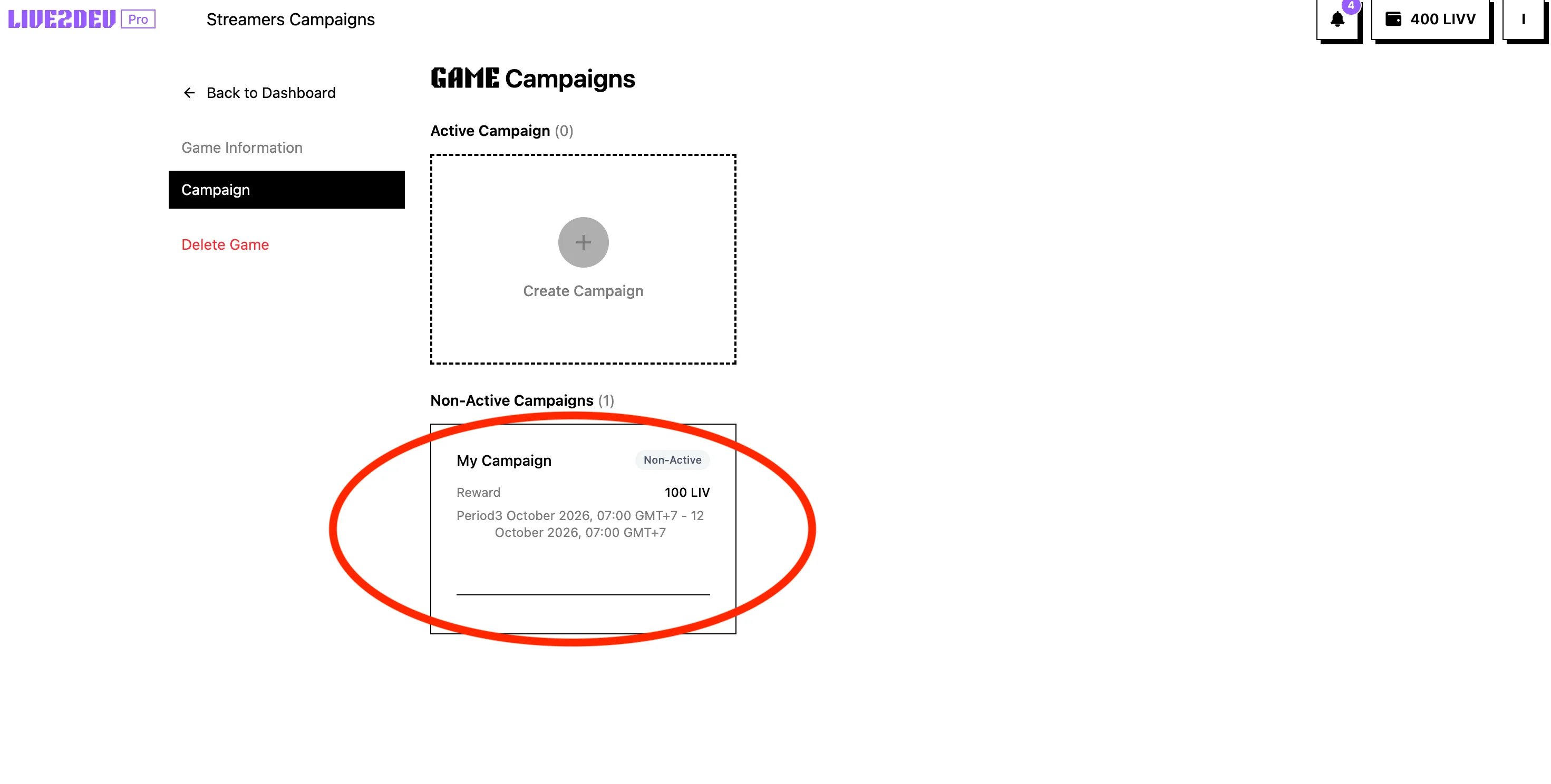 Cek kembali campaign-mu di halaman campaigns untuk melihat penggunaan slot terbaru. Setiap slot yang selesai ditandai done saat streamer menyelesaikan deal-nya. Saat semua slot selesai, game campaign-mu otomatis menjadi non-aktif.
## Langkah berikutnya
* [Top up](/id/topup)
This documentation is built and hosted on [Mintlify](https://mintlify.com), a developer documentation platform.
Cek kembali campaign-mu di halaman campaigns untuk melihat penggunaan slot terbaru. Setiap slot yang selesai ditandai done saat streamer menyelesaikan deal-nya. Saat semua slot selesai, game campaign-mu otomatis menjadi non-aktif.
## Langkah berikutnya
* [Top up](/id/topup)
This documentation is built and hosted on [Mintlify](https://mintlify.com), a developer documentation platform.